


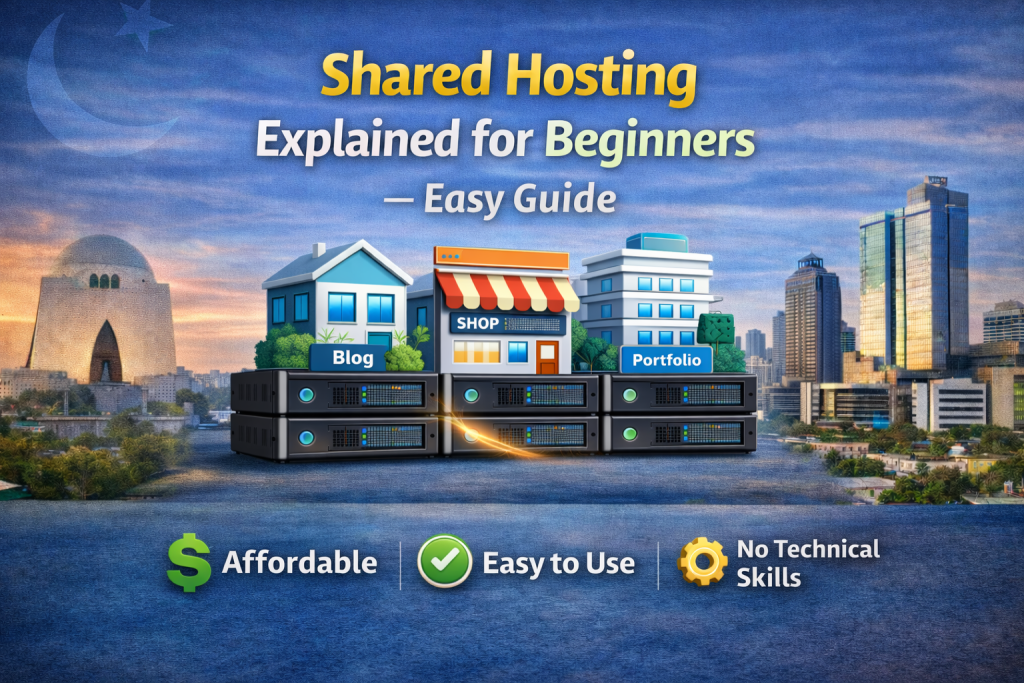
To keep shared hosting explained clearly, imagine an apartment building. The building is the server, and each apartment is a website. Everyone lives in the same building but has their own room and belongings.
In shared hosting, multiple websites use one server’s resources such as CPU, RAM, and storage. Because costs are divided among many users, hosting becomes affordable. That’s why beginners prefer it.
So if you want shared hosting explained in one sentence:
It is low-cost hosting where many websites share one server.
How Does Shared Hosting Work?
Let’s make shared hosting explained practical.
- A hosting company sets up a powerful server
- The server is divided into multiple accounts
- Each user uploads their website
- All sites run together but stay separated
You don’t see other websites, and they don’t see yours. The hosting provider controls everything technically.
When a visitor opens your site, the server sends your files just like any other hosting type. The only difference is resources are shared.
Why Is Shared Hosting Cheap?
To keep shared hosting explained realistic — cost matters most for beginners.
Instead of paying the full price for a server, you pay a small portion because hundreds of users share it. This reduces expenses while still providing enough performance for small websites.
That’s why blogs, portfolios, and startup businesses choose shared hosting first.
Who Should Use Shared Hosting?
Understanding the right use case keeps shared hosting explained honest. It is best for:
- Personal blogs
- Business starter websites
- Portfolio sites
- Small company pages
- Students learning web development
If your website receives a few hundred visitors daily, shared hosting works perfectly.
Advantages of Shared Hosting
Now let’s continue shared hosting explained with its benefits.
1. Affordable
Lowest cost hosting available.
2. Easy to Use
Control panels make setup simple.
3. No Technical Knowledge Needed
The company manages server maintenance.
4. Quick Setup
Website can go live in minutes.
Because of these benefits, beginners prefer shared hosting worldwide.
Limitations of Shared Hosting
For fairness, shared hosting explained must also include drawbacks.
Limited Resources
Heavy websites may slow down.
Traffic Limits
High visitor spikes affect performance.
Less Custom Control
You cannot change server configuration deeply.
This doesn’t mean shared hosting is bad — it just means it is designed for smaller websites.
When Should You Upgrade?
To complete shared hosting explained, you should know when to upgrade.
Upgrade if:
- Website traffic grows fast
- Online store becomes busy
- Pages load slowly during peak time
- You need more server power
Most websites start shared and upgrade later. That’s normal growth.
Final Thoughts
Now you clearly understand shared hosting explained from basics to practical use. It is an affordable starting point for anyone entering the online world. You don’t need technical skills, large investment, or complex setup.
For beginners, shared hosting is not just a cheap option — it is the smartest first step. As your website grows, you can move to higher plans, but shared hosting gives you the foundation.
If you are launching your first website, starting here is usually the best decision.
Our trusted User:
How Does Shared Hosting Work?
Let’s make shared hosting explained practical.
- A hosting company sets up a powerful server
- The server is divided into multiple accounts
- Each user uploads their website
- All sites run together but stay separated
You don’t see other websites, and they don’t see yours. The hosting provider controls everything technically.
When a visitor opens your site, the server sends your files just like any other hosting type. The only difference is resources are shared.
Now you clearly understand shared hosting explained from basics to practical use. It is an affordable starting point for anyone entering the online world. You don’t need technical skills, large investment, or complex setup.
Share this Post

What Is Web Hosting and How Does It Work?
EcomiHost BlogWeb Hosting vs Domain – What’s the Difference?
EcomiHost Blog