

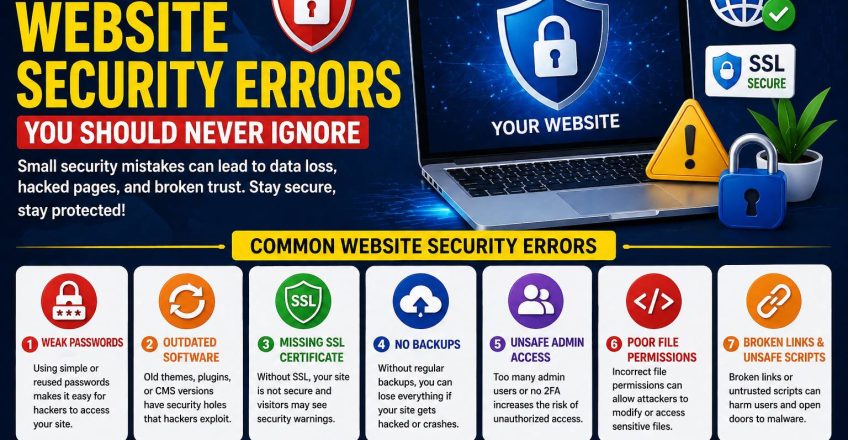

Your website may look perfect on the surface, but small security gaps can quietly put everything at risk. Many business owners focus on design, speed, and content, yet they forget that protection is just as important as performance. A weak setup can lead to hacked pages, broken forms, stolen data, spam, and lost customer trust. That is why small website security errors should never be treated as minor technical issues.
Most security problems do not begin with a dramatic attack. They begin with overlooked details. A weak password, an outdated plugin, poor file permissions, or a missing backup can create serious damage later. When you understand website security errors early, you protect your website, your visitors, and your business reputation before real trouble starts.website security errors
Weak Passwords and Outdated Software Create Easy Openings
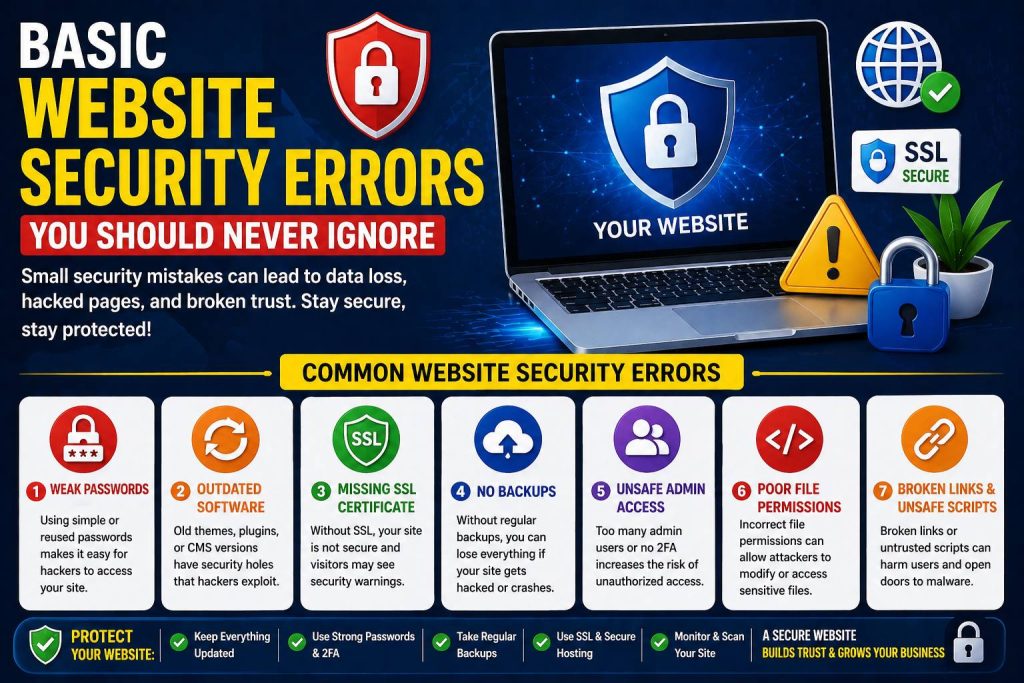
Some website security errors begin with habits that seem harmless. Many website owners use simple passwords, reuse the same login details on multiple accounts, or create admin usernames that are easy to guess. That makes it much easier for attackers to break in. A strong password should be unique, long, and difficult to predict. It should never be something obvious like your name, brand, or phone number.website security errors
Outdated software creates another big risk. WordPress core files, themes, and plugins need regular updates because updates fix known vulnerabilities. When site owners delay updates for weeks or months, they leave old security holes open. That is one of the most common reasons websites get hacked. Many people think updates are only about features or design, but they are also about safety.
This is especially important for WordPress websites because plugins add flexibility, but they also add risk when ignored. A single outdated plugin can become the weak point that damages the whole site. In some cases, plugin conflicts or malware infections can even trigger a wordpress website white screen, leaving the site blank and inaccessible. What looks like a technical glitch can actually start with a very basic security failure.
Missing SSL, No Backups, and Poor Hosting Put Your Site at Risk
Another group of website security errors appears in the website’s core setup. If your site does not use SSL, browsers may mark it as not secure. That warning hurts trust instantly. Visitors hesitate to fill out forms, submit payment details, or even stay on the page. SSL is no longer optional. It is a basic requirement for any serious website.website security errors
Backups matter just as much. Many business owners assume nothing will go wrong, so they skip regular backups. That is a dangerous gamble. If your site gets hacked, a plugin update breaks your pages, or malware damages your files, a backup can save everything. Without it, recovery becomes slow, stressful, and expensive. Good backups should run automatically and give you an easy restore option.
Hosting also plays a direct role in security. Cheap or low-quality hosting often comes with weaker protections, slower support, and poor server management. Even when a website looks clean from the outside, weak hosting can create serious vulnerabilities behind the scenes. Strong hosting should include firewalls, malware scanning, DDoS protection, SSL support, and account isolation where possible. A secure site needs a secure environment, not just a beautiful homepage.website security errors
Unsafe Admin Access and Bad Permissions Lead to Bigger Problems
The most ignored website security errors often happen inside the admin area. Giving full access to too many people is a major risk. Not every user needs administrator control. Some only need editor or author permissions. When too many accounts have full power, the chance of accidental changes or security misuse increases.
File permissions also matter. If your files and folders are too open, attackers can exploit them more easily. Most website owners never check this area because it feels too technical, but permissions are part of basic protection. A proper setup limits what users and scripts can change, which helps reduce damage if something goes wrong.website security errors
Login protection is another essential step. Two-factor authentication, limited login attempts, and login alerts can stop many common attacks before they go any further. Without those protections, automated bots can keep trying to access your dashboard again and again. That turns a simple login page into a constant risk.
Broken Links, Suspicious Forms, and Unchecked Tools Can Harm Trust
Many website security errors grow quietly through overlooked content and tools. Broken links, insecure contact forms, unverified plugins, and suspicious scripts can all damage the health of a website. This is where cleanup becomes important. A reliable link fixer process can help you identify broken internal and external links, remove weak points, and improve the overall user experience. Broken links are usually discussed as SEO problems, but they can also become trust and security problems when users land on unsafe or outdated destinations.
The same thing happens with forms. If your forms are not secured properly, they may attract spam, fake leads, or injection attempts. CAPTCHA, spam filtering, email validation, and secure form handling all reduce that risk. Small forms can become major entry points if they are ignored.
Many website owners also install random tools without checking the source. A plugin or script that looks useful can create problems if it comes from an unreliable provider. Every add-on should be trusted, updated, and genuinely necessary. The fewer weak tools you install, the lower your exposure becomes.
Security Problems Often Hide Behind Design and UX Issues
Many people ask, what are common web design mistakes to avoid, and that is a smart question. But security deserves a place in that discussion too. Some website security errors stay hidden because owners think the issue is only about design or speed. They notice a broken layout, missing images, or unusual redirects, but they do not realize the deeper problem may be malware or unsafe code.
This is why security and design should never be separated completely. Some web design mistakes also create trust issues. If your website looks inconsistent, shows browser warnings, has broken pages, or sends users to strange destinations, visitors will assume something is wrong. Even some top website design mistakes become more harmful when they combine with weak security, such as outdated themes, poorly coded templates, or heavy third-party scripts that slow down and expose the site at the same time.
A secure website does more than block attackers. It also protects the visitor experience. It keeps the site stable, clean, and trustworthy. Users should feel confident when they browse, click, submit a form, or make a purchase. Security supports that confidence every step of the way.
Final Thoughts
If you fix website security errors, you protect much more than files and settings. You protect your reputation, your customer trust, your SEO performance, and your long-term business growth. Small gaps today can turn into costly problems tomorrow, so it is always better to act early.
The strongest websites are not only fast and attractive. They are also stable, updated, backed up, and well protected. The sooner you remove website security errors, the easier it becomes to build a website that people trust and search engines respect.
Our Tursted User :
Share this Post

Basic Domain and Hosting Errors New Website Owners Make
EcomiHost BlogBasic Website Mistakes Every Beginner Should Fix Early
EcomiHost Blog