

Starting a website feels exciting. You buy a domain, choose a hosting plan, install WordPress or another CMS, and expect everything to run smoothly. But this is exactly where many beginners go wrong. Small decisions made at the start can create bigger problems later, from slow loading times to poor security and frequent downtime. That is why understanding basic hosting errors early can save you money, stress, and missed opportunities.
Many new website owners think hosting is just a place to store files. In reality, hosting affects your speed, uptime, security, email setup, backups, and overall user experience. If the foundation is weak, even a beautiful website can struggle to perform. Learning how to avoid basic hosting errors gives your site a stronger start and helps your business grow with confidence.basic hosting errors
Choosing the Cheapest Plan Without Looking at Value
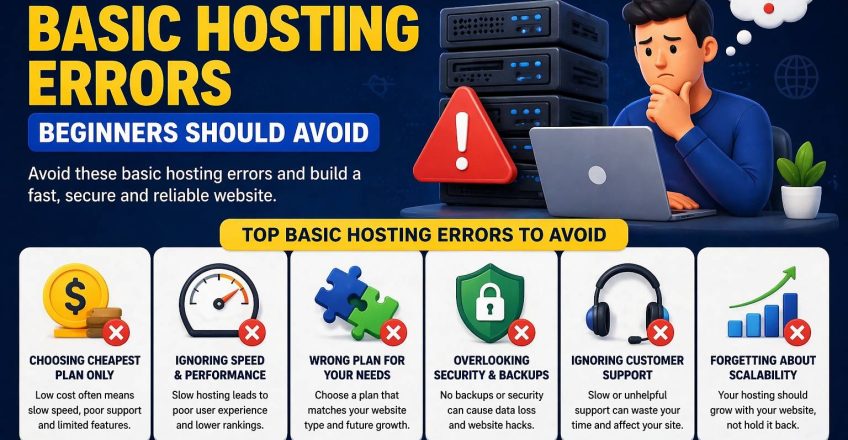
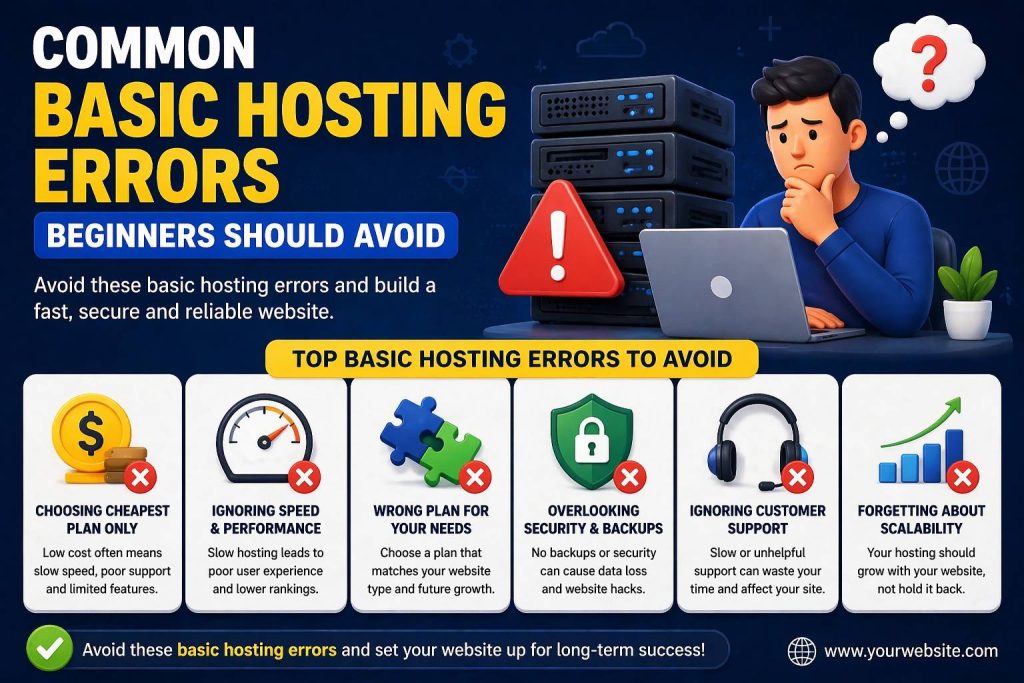
One of the biggest mistakes beginners make is buying the cheapest hosting plan they can find without checking what is actually included. Low pricing may look attractive, especially when you are launching your first website, but cheap does not always mean smart. Some low-cost plans come with slow servers, limited resources, weak support, or important features locked behind extra charges.
This is one of the most common basic hosting errors because beginners often compare prices before they compare performance. A good hosting plan should offer speed, SSD storage, SSL certificates, backups, email support, and a reliable control panel. If you only focus on the lowest number, you may end up paying more later through downtime, poor website performance, or upgrade costs.
A better approach is to compare value. Ask simple questions before buying. Does the plan support your website type? Can it handle future growth? Does it include security and backup features? A plan that costs a little more but performs far better is often the smarter long-term choice.basic hosting errors
Ignoring Speed and Performance From Day One
Many beginners do not realize how important website speed is until visitors start leaving. A slow website frustrates users, hurts trust, and can weaken search visibility. Hosting plays a direct role in speed because the server handles how quickly your website loads for every visitor.basic hosting errors
Among the most harmful basic hosting errors is ignoring performance features such as SSD storage, LiteSpeed support, caching, CDN compatibility, and server uptime. These may sound technical, but they make a real difference in daily performance. A fast website feels professional. A slow one feels unreliable.
Speed matters even more for business websites and online stores. If product pages take too long to open or service pages lag on mobile, visitors may leave before taking action. Beginners often blame the website design when the real issue is weak hosting. A strong hosting setup gives your content the best chance to perform well.
Not Matching the Hosting Plan to Website Needs
Another mistake happens when beginners buy a plan without thinking about the type of website they want to run. A simple portfolio site does not need the same setup as a WooCommerce store, a busy blog, or a business website with multiple email accounts. When you choose the wrong plan, problems appear quickly.
This is where basic hosting errors become expensive. A plan with very limited storage, low server resources, or tight website limits may work for a few days, but it may not support your goals for long. If you plan to host multiple websites, upload many images, use heavy plugins, or run an eCommerce store, you need resources that match those needs.
Beginners often assume they can fix everything later, but poor planning leads to rushed upgrades and migration headaches. It is always better to think ahead. Choose a plan that supports your current needs and gives you room to grow. Hosting should support your progress, not block it.basic hosting errors
Overlooking Security and Backup Features
Security usually gets ignored until something goes wrong. That is a risky way to build a website. A hacked site, lost database, broken plugin update, or deleted file can create serious damage if you do not have protection in place. Good hosting should help prevent those problems before they happen.
One of the most overlooked basic hosting errors is choosing a provider without checking for SSL, firewall protection, malware scanning, DDoS protection, and automatic backups. These features are not optional for a modern website. They protect your data, your visitors, and your brand reputation.
Backups are especially important for beginners because mistakes happen during setup, theme changes, plugin installs, and content updates. If your provider offers daily backups with an easy restore option, you can recover quickly without panic. Security and backup tools give you peace of mind, and that peace of mind matters when you are building something important.basic hosting errors
Treating Customer Support Like a Small Detail
Most people do not care about support until their website stops working. Then it becomes the most important feature of all. Beginners often assume support quality does not matter because they do not expect problems in the early stages. Unfortunately, issues can happen at any time, especially when you are new and still learning.basic hosting errors
Poor support is one of the most frustrating basic hosting errors because it turns simple technical issues into long delays. If your website goes down, your SSL breaks, your email stops sending, or your domain does not connect properly, you need fast and helpful guidance. Waiting hours or days for a reply can hurt your business and waste valuable time.
Reliable support gives beginners confidence. It means you are not handling every problem alone. Good hosting companies provide clear help, quick responses, and real solutions. That level of support is not a bonus. It is part of the service you are paying for.
Forgetting About Scalability and Future Growth
Beginners often buy hosting only for today. They think about launching the website, not about what happens when traffic grows, services expand, or more websites need to be added. That short-term thinking can create avoidable problems later.basic hosting errors
This is another version of basic hosting errors that becomes obvious only after the website starts growing. You may need more storage, better performance, extra email accounts, or the ability to host multiple websites. If your provider makes upgrading difficult, your growth slows down.
Scalable hosting helps you move forward without rebuilding everything. It allows you to upgrade smoothly as your needs change. That flexibility matters for startups, freelancers, agencies, and any business that expects steady online growth. Choosing a plan with a clear upgrade path is a smart move from the beginning.basic hosting errors
Final Thoughts
The best way to avoid basic hosting errors is to slow down before you buy. Look beyond the price tag and study the features that actually affect your website. Check speed, storage, backups, security, support, and future scalability. Make sure the plan fits your website goals, not just your starting budget.
Our Trusted User:
Share this Post

Basic Website Errors That Hurt Your Business Growth
EcomiHost BlogTop Basic WordPress Errors and How to Fix Them
EcomiHost Blog