


Moving your website to a new hosting provider can feel stressful at first. Many website owners worry about downtime, broken pages, missing emails, or lost data. The good news is that website migration hosting does not have to be complicated when you follow the right process. With a little planning, you can move your site smoothly and improve performance, security, and reliability at the same time.
Many people switch hosting because their current provider no longer meets their needs. Slow loading times, weak support, poor uptime, limited storage, and hidden restrictions often push businesses to look elsewhere. That is where website migration hosting becomes an important step. A smart migration can give your website a stronger foundation and create a better experience for both visitors and search engines.
Why Website Migration Hosting Matters
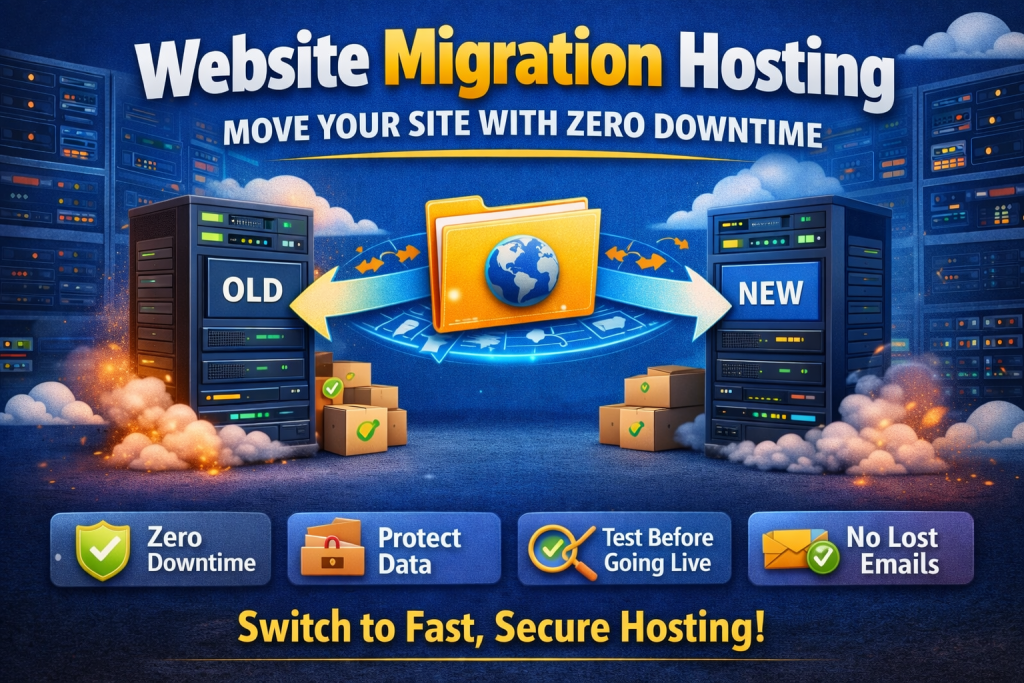
A hosting upgrade is not only about changing servers. It is about improving how your website performs every day. That is why website migration hosting matters so much for businesses, blogs, portfolios, and online stores. If your current hosting is slow or unreliable, your visitors notice it immediately. Pages take longer to load, forms may fail, and customers may leave before they even see what you offer.
A better hosting environment can improve speed, uptime, security, and scalability. It can also make daily management easier through features like cPanel access, SSL certificates, backups, and one-click installations. When your hosting provider supports your growth instead of limiting it, your website becomes easier to manage and more enjoyable to use. Migration is not just a technical task. It is a business decision that can directly affect trust, traffic, and conversions.
How to Prepare for Website Migration Hosting
The most important part of website migration hosting happens before you move anything. Preparation reduces risk and keeps the process organized. Start by reviewing your current website setup. Check your files, databases, email accounts, domains, subdomains, SSL certificates, and any special applications or plugins your site depends on.
Next, create a complete backup of your website. This step is essential. A full backup should include website files, databases, email data if needed, and configuration settings. Even if your new host offers migration help, you should still keep your own backup copy. It gives you peace of mind and protects you if something unexpected happens.
You should also choose the right time for the move. If your website gets heavy traffic during certain hours, avoid migrating during that period. A quieter time reduces the chance of disruption for users. Before you begin, lower your DNS TTL settings if possible. This can help your domain update faster when you point it to the new hosting provider.
Preparation also includes checking the new server environment. Make sure it supports your website’s technical needs. Confirm PHP versions, storage limits, database support, email options, SSL, caching tools, and any platform requirements such as WordPress, WooCommerce, Node.js, or Python support. Good planning makes the rest of the migration much easier.
Step-by-Step Website Migration Hosting Process
The actual website migration hosting process becomes much easier when you break it into clear steps. First, upload your website files to the new hosting account. You can do this through cPanel File Manager, FTP, or another hosting tool provided by your new host. After that, export your current database and import it into the new server.
Once the files and database are in place, update your website configuration. This usually means changing database details inside your configuration files so the website connects to the new server correctly. If you are moving a WordPress site, you may also need to review file paths, caching settings, and plugin compatibility.
After the website is set up on the new hosting account, test it before making the site live. Many providers let you preview the website using a temporary URL or by editing your local hosts file. This step is extremely valuable. It helps you catch broken images, missing pages, login problems, contact form issues, or layout errors before real users see them.
Once everything works correctly, update your domain’s nameservers or DNS records to point to the new hosting provider. This is the final stage that makes the switch public. DNS changes can take some time to fully spread across the internet, so keep your old hosting account active for a short period. That way, your site stays protected while traffic finishes moving to the new server.
Common Mistakes to Avoid During a Hosting Move
Many website owners make the move harder than it needs to be. The most common mistake during website migration hosting is rushing the process. When people skip backups, ignore testing, or cancel their old hosting too early, problems appear quickly. A smooth migration depends on patience and attention to detail.
Another common mistake is forgetting about email accounts. If your domain email is connected to your hosting, you need to make sure those mailboxes are recreated or transferred correctly. Otherwise, you may miss important messages during the switch. Some people also forget to reconnect SSL certificates or recheck redirect settings after the move. Small details like these can affect user trust and website security.
You should also review your website after migration from both a user and admin perspective. Open important pages, test forms, log in to your dashboard, check mobile responsiveness, and confirm that images, links, and scripts work properly. A successful move is not complete until the whole website performs as expected.
What Happens After the Migration
Once the move is complete, website migration hosting still requires a final review. Monitor your site closely for the next few days. Check page speed, uptime, contact forms, checkout pages, email delivery, and general performance. Search engines and users should see the same site they saw before, only faster and more stable.
This is also the perfect time to optimize your website further. Clear unused files, review plugins, enable caching, activate Cloudflare if available, and confirm that daily backups are running properly. The goal is not only to move the website but to make it stronger on the new hosting platform.
In the end, website migration hosting is one of the smartest moves you can make when your current provider no longer supports your growth. A careful migration protects your content, reduces downtime, and improves the overall experience for visitors. When you follow the right steps, switching to better hosting becomes less of a risk and more of an upgrade. Good hosting supports speed, security, and long-term stability, and that gives your website the foundation it needs to grow with confidence.
Our Tursted User :
Share this Post

How Fast Hosting Helps SEO and Google Rankings
EcomiHost BlogBasic Website Errors That Hurt Your Business Growth
EcomiHost Blog